Short answer
A UPS Store mailbox fits you if you live or work near the store and want to collect mail and packages in person. A virtual mailbox fits you if you are often away from the address and want to see scans of your mail online. We read the USPS rules for commercial mail receiving agencies to cover both, so both use a street address with PMB or # and need PS Form 1583.
Key takeaways
- A mailbox at The UPS Store is a box at a local store. You collect mail there, or ask the store to forward or hold it, and the FAQ says “Additional charges may apply.”
- A virtual mailbox is a mail service you manage online. The provider receives your mail at its street address, and you see scans of your mail in an online account.
- As we read the USPS rules, either way your address is the provider’s street address with PMB or # and your box number. We read a form line that rules out a private mailbox or a commercial mail receiving agency to rule out both, so that line needs another address, such as where you and your team work.
- Both need PS Form 1583, as we read the USPS rules. USPS lets you sign it before the provider’s owner, manager, or authorized employee, or a notary public, in person or by real-time audio and video.
- Mail scanning is not among the services listed on The UPS Store’s mailbox pages. The company says its locations are individually owned and operated, so ask your local store what it offers.
- The UPS Store’s FAQ gives no dollar figure and says “prices may vary.” Each virtual mailbox provider sets its own prices, so compare what each one includes.
What is the difference between a UPS Store mailbox and a virtual mailbox?
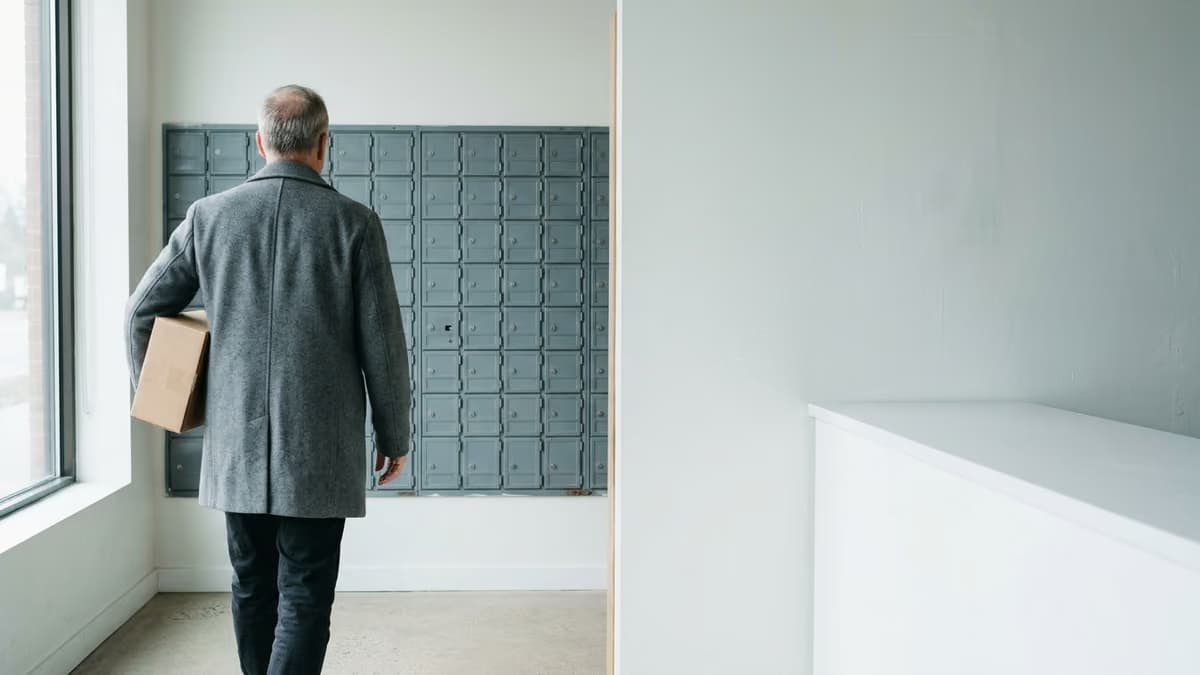
A UPS Store mailbox fits you if you live or work near the store and want to collect mail and packages in person. A virtual mailbox fits you if you are often away from the address and want to see scans of your mail online.
A mailbox at The UPS Store is a box at a local store, and you go there to pick up what arrives. A virtual mailbox is a mail service you manage online, and you decide what happens to each item after you see its scan.
Publication 28, the USPS addressing standard, says in section 285 that “Private companies offering mailbox rental services to individuals and businesses are considered commercial mail receiving agencies (CMRA).” The Domestic Mail Manual (DMM) defines a CMRA as a business that, “in whole or in part, accepts the delivery of U.S. Mail on behalf of another person or entity as a business service.” We read these rules to cover both a mailbox at The UPS Store and a virtual mailbox provider, because each one accepts mail for customers as a business service.
The DMM also mentions scanned mail. In its rules on remailing mail after the agreement ends, section 508.1.8.4 says the customer must give a remail address on PS Form 1583, “or email if correspondence is scanned for digital delivery.” If you are also weighing a USPS box, our comparison of a UPS Store mailbox and a PO Box covers that choice.
Did this answer your question?
Which one fits you: UPS Store mailbox or virtual mailbox
Neither option is the right answer for every reader. Find the rows that describe you, then confirm the details with the store or the provider.
| Your situation | Choose a UPS Store mailbox if… | Choose a virtual mailbox if… |
|---|---|---|
| Where you are | You live or work near the store and can stop by | You travel, live far from the address, or move often |
| How you read mail | You want the paper in your hands | You want to see a scan of each item before you decide what to do with it |
| Packages | Your packages come from several carriers and you want store staff to sign for them, at a participating location | You get mostly letters, or the provider’s package rules fit what you receive |
| Time away | Your trips are short, and you accept any added charges for holding or forwarding | You are away for long periods and want to read mail from wherever you are |
| Getting help | You want to talk to store staff at a counter | You are comfortable making requests through an online account |
Ask these questions before you sign up for either kind of mailbox:
- What is the price for the box size or plan you want, and what costs extra?
- Which carriers can deliver packages, and who signs for them?
- How do you collect the PS Form 1583 signature and the two IDs the form asks for?
- What happens to your mail after you close the account?
If you receive certified mail, ask who signs for it at the store or the provider. Our guide on receiving certified mail at a virtual address explains how mail centers handle it.
Ready to set up your business address?
See which US cities fit — about a minute, no card needed.
UPS Store mailbox vs virtual mailbox, side by side
The table compares the two options on the points that change how you get your mail. The UPS Store column quotes the company’s mailbox pages. The company says “Products, services, prices, and hours of operation may vary by location,” so confirm each point with the store you plan to use.
The virtual mailbox column shows the USPS rules that apply and the questions to ask. Each provider sets its own services and prices.
| Point | Mailbox at The UPS Store | Virtual mailbox |
|---|---|---|
| Who runs it | A local store. The site says locations “are independently owned and operated by franchisees of The UPS Store, Inc. (although one or more may be company-owned)” | A mail service company that receives mail for you at its street address |
| How you get your mail | You collect it at the store. The FAQ says “you can pick up your mail whenever it’s convenient for you” and “most locations offer 24-hour access” | You view scans in an online account, then choose what happens to each item. Ask which actions each plan includes |
| Mail scanning | Not among the mailbox services listed on the company’s mailbox pages. Ask your store | The core service. Ask whether a plan scans only the envelope or also the contents, and what each scan costs |
| New mail alerts | “Receive Delivery Text Alerts,” marked “Additional fees may apply.” The personal mailbox page says “Text alerts when packages arrive.” The FAQ also says “Call us to find out if you have mail” | Ask how the provider tells you that new mail has arrived |
| Forwarding and holding | Both offered to mailbox holders. The FAQ says “Additional charges may apply” | Ask how forwarding is priced and which carriers the provider ships with |
| Packages | “We Sign for Packages.” “We Accept All Carriers” is marked “Available at participating locations” | Ask which carriers and package sizes the provider accepts, and who signs for them |
| Address format | The store’s street address “with either PMB (private mailbox) or the pound symbol (#) designating your individual box” | The provider’s street address with PMB or # and your box number, under Publication 28, section 285, which we read to cover virtual mailbox providers |
| Application | PS Form 1583 and “two valid forms of identification, one of which must include a photograph” | PS Form 1583, under the USPS rules as we read them. The form says “One ID must be a government-issued photo ID,” and the second ID must confirm your address |
| If you move | The FAQ says “Because each location is individually owned and operated, transfer policies may vary” | You manage the box online, so it does not depend on where you live. A change to your PS Form 1583 details still needs a new form |
| Price | No dollar figure. The FAQ says “prices may vary. Contact your neighborhood location for pricing” | Set by each provider. Ask what is included and what costs extra |
Does The UPS Store offer a virtual mailbox?
The UPS Store’s mailbox pages describe a box you visit at a store. The company’s personal mailbox page lists these items:
- “A real street address.”
- “24-hour access at participating The UPS Store locations.”
- “Package acceptance from all carriers.”
- “Package and mail receipt confirmation.”
- “Mail forwarding and holding,” marked “Additional fees may apply.”
- A call-in service to check whether you have mail.
Mail scanning is not on that list. The FAQ on the same page does not describe viewing your mail online either. The company says its locations are individually owned and operated, so ask your local store whether it offers more.
Forwarding is how the store gets mail to you while you are away. The FAQ says “The representatives at The UPS Store can forward your mail to you, anywhere you are. Additional charges may apply.” With forwarding, the paper reaches you later. With a virtual mailbox, you see a scan of the item first and then decide whether to have it sent.
What both have in common: PS Form 1583 and a PMB address
As we read them, the USPS rules for commercial mail receiving agencies in section 508.1.8 of the DMM cover both kinds of mailbox. If the CMRA has no Form 1583 on file for you, the DMM says the CMRA “must return that mail to the Post Office responsible for delivery.” So the form comes first with either option.
The USPS rule does not require you to sign in person. Section 508.1.8.3 says you sign “in the physical or virtual (in real-time audio and video) presence of the CMRA owner or manager, or authorized employee,” or before a notary public in the same two ways. Each store or provider decides how it collects the form, so ask first.
PS Form 1583 asks for two IDs. The form says “One ID must be a government-issued photo ID,” and the second “must confirm the Applicant’s or Authorized Individual’s address listed on this form.” For a business, “an officer must sign the application and provide his or her title.” Our guide on how to fill out USPS Form 1583 covers each box.
The address format is the same for both. Publication 28 says mail to a CMRA customer “must include either the PMB identifier or the #, followed by the appropriate private mailbox number.” The same section says “Use of any other identifier is prohibited.”
Two more rules apply to both. When your information on PS Form 1583 changes, the DMM says “the addressee must complete a new application with the CMRA.” When you close the mailbox, the CMRA must remail your mail for at least 6 months, with new postage, unless you tell it in writing not to.
Where forms limit both kinds of mailbox
Moving from a store box to a virtual mailbox does not change how a form treats a private mailbox. Each line in the table names a category that, under the USPS rules above as we read them, includes both kinds of mailbox. Shopify names private mail boxes, and Mercury names commercial mail receiving agencies.
| Account | Line | Exact wording |
|---|---|---|
| Shopify Payments account setup | Address requirements | “You can’t use PO Box or Private Mail Box addresses with Shopify Payments.” |
| Mercury company address requirements | Company physical address | “Your physical address is where you and your team work day-to-day.” The page also says “We don’t accept a P.O. box, virtual address, commercial mail receiving agency, mail center, or registered agent address.” |
Where a line rules out a private mailbox or a commercial mail receiving agency, do not enter either kind of mailbox there. Use the kind of address the line asks for, such as the place where you and your team work. Limits like these can apply to a virtual mailbox from any provider, including save office.
Read the exact line on the current page before you enter any mailbox address. You can see how USPS data classifies an address with our address checker. State filings and registered agents have their own rules, and our guide on using a UPS Store mailbox for an LLC covers those lines.
When save office is not the right fit
save office is a mail service, and it does not fit every reader. Another option may serve you better in these cases:
- You want to walk in and collect your mail in person in your own town. save office addresses are in specific US cities, so a store in your town may fit that plan better.
- You need a registered agent. save office does not provide registered agent service.
- A form line you need rules out a virtual address, such as Mercury’s physical address line. That limit applies to a save office address too.
Not legal or tax advice
This guide summarizes The UPS Store’s mailbox pages, USPS Publication 28, section 508 of the Domestic Mail Manual, PS Form 1583, and the Shopify and Mercury pages named above, as read on November 14, 2026. Services, prices, and form wording can change. Check the current page, and ask the store, the provider, or a lawyer about your situation.
The UPS Store is a trademark licensed to The UPS Store, Inc. by United Parcel Service of America, Inc. save office is not affiliated with, endorsed by, or sponsored by The UPS Store. Comparisons are based on publicly available information as of November 14, 2026 and may change without notice.
Frequently Asked Questions
Next step
Reserve your US business address
Pick a city and a plan. Your mail goes to a real commercial address and is scanned when you ask.
Sources & References
Primary sources this guide is based on.
- 1The UPS Store · Personal Mailbox Services (accessed November 14, 2026)
- 2The UPS Store · Business Mailbox Services (accessed November 14, 2026)
- 3The UPS Store · Mailbox Services (accessed November 14, 2026)
- 4The UPS Store · Website Terms of Use, Trademarks and Materials (accessed November 14, 2026)
- 5United States Postal Service · Domestic Mail Manual 508, Recipient Services (accessed November 14, 2026)
- 6United States Postal Service · Publication 28, section 285, Private Mailbox Addresses (accessed November 14, 2026)
- 7United States Postal Service · PS Form 1583, Application for Delivery of Mail Through Agent (accessed November 14, 2026)
- 8Shopify · Shopify Payments account setup, Address requirements (accessed November 14, 2026)
- 9Mercury · Company address requirements (accessed November 14, 2026)
Not sure what you need?
Two short pages sort it out — what the products actually are, and which situation you're in.

save office
Published
I'm Henry, a hedgehog in a bow tie who explains the dull, scary parts of building and running a U.S. business.