Key takeaways
- FinCEN's final rule of August 14, 2026 (91 FR 52508) makes the exemption permanent: LLCs and corporations created in the United States file no BOI report at all, whether they were formed in a state, in the District of Columbia, or in a US territory. The requirement now reaches only foreign-formed entities registered to do business in the US, and even those no longer report US-person beneficial owners or company applicants. For entities still in scope, the report has two address slots: the company can use a virtual office address, but beneficial owners must use their residential address.
- The FinCEN ID workaround lets beneficial owners submit their residence once and share an ID across multiple LLC filings.
- Form 8822-B and the BOI update must stay synced; an address change at the IRS does not propagate to FinCEN automatically.
Before you start
- Confirm where the entity was created. If it was created in the United States, the August 2026 final rule means there is no BOI report to file. If it was formed under another country's law, the deadline runs from the date it registered to do business in a US state.
- Decide whether each beneficial owner will obtain a FinCEN ID before filing multiple BOI reports.
Who this is for
- LLC owners filing the BOI report for the first time.
- Multi-LLC operators looking to streamline beneficial owner disclosure.
Important: FinCEN's final rule of August 14, 2026 exempts companies created in the United States from BOI reporting permanently. The rule adopts the March 2025 interim rule as final and goes further, removing US-person beneficial owners and company applicants from what the remaining filers report.
The Corporate Transparency Act's BOI requirement now reaches only foreign-formed reporting companies registered to do business in a US state. This guide is for those entities. If your company was created in the United States, read on for context rather than instructions.
For entities that remain subject to BOI reporting, the report asks for two different addresses, and most filing mistakes come from treating them as one. The beneficial owner address has to be a residential street, not a virtual one, and not a P.O. Box.
The split exists because FinCEN's stated rationale is to keep entity-level data consistent across federal records. The company address tells the federal database where the legal entity operates. The beneficial owner address tells the database where to verify the human behind the entity. This guide walks through both slots, the FinCEN ID workaround that keeps personal addresses out of repeat filings, and how to keep the BOI report in sync with the IRS Form 8822-B and the LLC's bank account whenever the company moves.
Setting up your LLC? See your US address options — no card →
What FinCEN BOI Reporting Actually Asks For
FinCEN, the financial crimes arm of the US Treasury, runs a non-public registry of who actually owns and controls every reporting company in the United States. The BOI report is how a company tells FinCEN three things: who the company is (entity-level data including the company address), who the beneficial owners are (humans with 25%+ ownership or substantial control, including their residential addresses), and who the company applicants are (the people who filed the formation documents).
The report is filed online for free at the FinCEN BOI E-Filing System. Correcting a BOI filing within 30 days is straightforward; missing the window may trigger a $606-per-day civil penalty (effective January 17, 2025; indexed annually for inflation) and possible criminal liability for willful violations. That exposure now reaches only the foreign-formed entities still in scope after the August 2026 final rule. US-formed LLCs are exempt.
- Reporting company information: legal name, any DBAs (Doing Business As), Employer Identification Number (EIN) or other taxpayer ID, jurisdiction of formation, and the company address.
- Beneficial owners (one entry per person): full legal name, date of birth, residential address, and a unique identifying number from a non-expired ID document with an image upload.
- Company applicants (entities created or registered on or after January 1, 2024). A third slot appears only when an applicant is reported: the same identity fields, except that an applicant who forms or registers entities in the course of their business reports a business street address rather than a residential one. Entities created or registered before that date indicate that on the form and report no applicant information at all. Under the August 2026 final rule, a US-person company applicant is not reported at all.
Two Address Slots, Two Different Rules
The split between the two address slots is the part that trips up most first-time filers. The table below summarizes what each slot accepts and why.
| Slot | Virtual address accepted | What FinCEN requires | Why |
|---|---|---|---|
| Company address | Yes, if it is a real US street | A valid street address capable of receiving mail at the location where the LLC's primary business operations take place | Keeping this identical to the state formation record and the IRS address is housekeeping rather than a FinCEN validation step; the cost of a mismatch usually shows up later, at a bank's identity review. |
| Beneficial owner address | No | The owner's actual residential street address, not a P.O. Box, not a registered agent address, not a virtual office | The address is used for identity verification against government databases. Virtual or commercial addresses break the verification chain because they cannot link a person to a place of residence. |
| Company applicant address | Mixed | If the applicant filed the formation as part of their job (such as a paralegal at a formation service), the business address of the applicant is used. If the applicant is the founder filing personally, the residential address is used. | Same logic as beneficial owners. The address has to identify a person, not a service. |
What each address slot on the BOI report accepts, and why.
Many founders register the LLC at a virtual office, file the BOI report listing that virtual office as the beneficial owner address, and then find that the slot calls for a residential street address, which a virtual office is not. The company-address slot is not the problem. The owner-address slot is.
Ready to set up your business address?
See which US cities fit — about a minute, no card needed.
The FinCEN ID Workaround for Beneficial Owners
FinCEN issues a personal identifier called a FinCEN ID that lets a beneficial owner submit personal address and ID document data once, get back a single reusable identifier, and use that number on every BOI report tied to any company they own.
The first BOI filing still has to include the residential address. The FinCEN ID is requested through the same E-Filing System with name, date of birth, residential address, and an ID document image. Once issued, the ID replaces the residential address and ID document on every subsequent filing for the same person.
- 1Apply for a FinCEN ID at fincenid.fincen.gov before the first BOI report is due, ideally during LLC formation week.
- 2Use the FinCEN ID on the BOI report for every LLC the owner controls. Owners with two or more LLCs save the most time, since the ID is reusable.
- 3Update the FinCEN ID profile within 30 days whenever the residential address, name, or ID document changes. The update propagates to every BOI report that referenced the ID.
- 4Keep the FinCEN ID number in a password manager next to the EIN. Both are non-public identifiers that the bookkeeper, accountant, and registered agent may need quick access to.
The FinCEN ID does not change the underlying rule. The first time around, the residential address still has to be submitted. The ID is what keeps that address out of repeat filings, which matters most for serial founders, multi-LLC operators, and anyone in a small town where the residential address is one signal away from re-identification.
Filing the BOI Report: Slot-by-Slot Walkthrough
The BOI report is a single online form on the FinCEN E-Filing System. The fields are grouped into the three sections described above. The walkthrough below covers the address-related fields and the most common errors at each one.
- 1Company information panel. Enter the legal name as it appears on the state formation document, the EIN, and the principal business address. The principal business address is where the company address goes. A virtual office at any save office city clears this slot, as long as the address matches the formation document.
- 2Beneficial owner panel. Add one entry per person with 25%+ ownership or substantial control. The residential address goes here. P.O. Boxes, registered agent addresses, and virtual offices are not permitted here. If the owner has a FinCEN ID, the residential address field is replaced by that identifier.
- 3Company applicant panel (entities created or registered on or after January 1, 2024). Under the August 2026 final rule a US-person company applicant is not reported at all, so this panel only applies where the applicant is not a US person. Where it does apply, an applicant who forms or registers entities in the course of their business uses a business street address.
- 4Identifying document upload. Each beneficial owner without a FinCEN ID has to upload a clear image of a non-expired US driver's license, passport, or state ID. The address on the ID has to match the residential address entered on the form, or FinCEN flags the mismatch.
- 5Submit and save the receipt. The system issues a confirmation number. Save the PDF receipt with the LLC operating agreement and the EIN letter, since the receipt is the only proof of timely filing if a question comes up later.
Updating the BOI Report When the Company Address Changes
The BOI report is not a one-and-done filing. Any change to the data on the report has to be re-filed within 30 days. The most common trigger is a company address change, often when the LLC moves from a home address to a virtual office, or from one virtual office city to another.
| Change | Federal filings required | Deadline |
|---|---|---|
| Company address change (LLC moves) | Updated BOI report + IRS Form 8822-B | 30 days for BOI, 60 days for the IRS Form 8822-B |
| Beneficial owner residential address change | Updated BOI report (or updated FinCEN ID profile, which propagates automatically) | 30 days |
| Adding or removing a beneficial owner (ownership change) | Updated BOI report | 30 days |
| Correcting a typo or wrong address on the original report | Corrected BOI report | 30 days from when the inaccuracy was discovered |
What to file when an address on the BOI report changes.
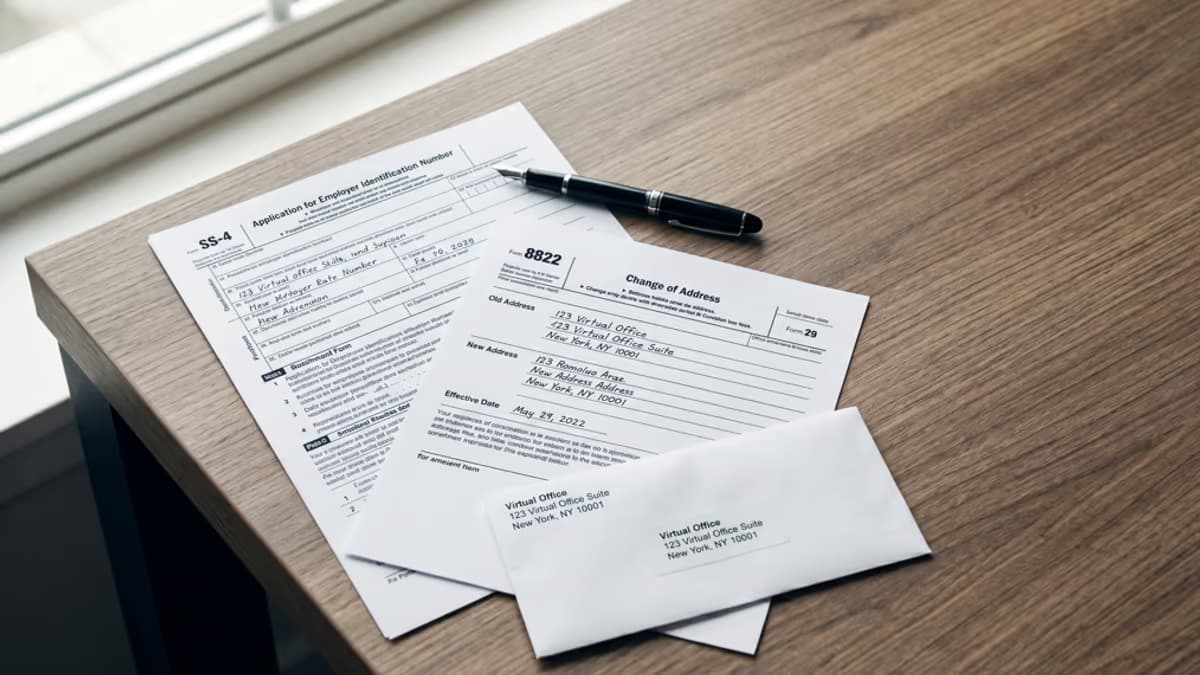
Pair the BOI update with the IRS Form 8822-B. The two filings cover different agencies, but they should share the same effective date and the same new address. The companion guide on does the IRS accept virtual addresses walks through the Form 8822-B mechanics in detail.
Where BOI Reporting Stands in 2026
FinCEN published the final rule at 91 FR 52508 on August 14, 2026, and it took effect the same day. It adopts the March 2025 interim rule as final rather than interim. The exemption is no longer provisional, and it is written into the regulation itself: 31 CFR 1010.380(c)(1) now marks the domestic half of the reporting company definition as [Reserved], an empty placeholder, leaving only entities formed under the law of a foreign country and registered to do business in a US state, the District of Columbia, or a US territory. Companies created in the United States file nothing. That covers entities formed in a state, in the District of Columbia, or in a US territory. The entities still in scope got two changes that narrow what they report. They no longer report a US-person beneficial owner, and they no longer report a US-person company applicant. Separately, no US person has to update or correct the information they already submitted when they obtained a FinCEN ID.
That leaves the reports already filed in 2024, before any of this narrowing. FinCEN says it plans to delete US-person information from its beneficial ownership IT system, working with the National Archives and Records Administration, in a single sweep rather than a recurring one. Four details follow, and none of them asks anything of you. You do not have to request the deletion. FinCEN says it does not intend to confirm that it happened. The agency says it will post a public notice on its website once the sweep is finished. And there is a cutoff: US-person information that still lands in a filing after February 10, 2027, whether by mistake or on purpose, is not part of the sweep.
Quick status check
Created in the United States, in a state, the District of Columbia, or a US territory: no BOI filing, and the exemption is now final rather than interim. Formed abroad and registered to do business in a US state: still in scope, and the address rules in this guide apply, except that US-person owners and applicants are no longer reported. When in doubt, check FinCEN's current guidance at fincen.gov before relying on any summary, including this one.
Checklist: Get the BOI Report Right the First Time
- 1Run the company address through the save office address checker before the report is filed. The check confirms the CMRA flag, the Residential Delivery Indicator (RDI) classification, and whether banks and federal agencies are likely to accept the address.
- 2Confirm the company address matches the state formation document. Mismatches between the BOI filing and the state record are the most common rejection reason on the company-side slot.
- 3Apply for a FinCEN ID for every beneficial owner before the first filing. The ID is free, takes 5 to 10 minutes, and removes the residential address from every future filing.
- 4Save the BOI confirmation receipt with the operating agreement and EIN letter. Treat it as a permanent record for the LLC's lifetime.
- 5Set a calendar reminder for any company address change to file both the BOI update and the IRS Form 8822-B within their respective 30-day and 60-day windows.
save office provides real US street addresses in cities including New York, Washington DC, San Francisco, Wilmington (Delaware), Cheyenne (Wyoming), and Tampa. They pair cleanly with FinCEN BOI filings (for the foreign-formed reporting companies still subject to the rule) and match the state formation document for downstream banking and KYC. Mail scanning surfaces FinCEN, IRS, and state notices in the inbox within hours of arrival.
Frequently Asked Questions
Sources & References
Primary sources this guide is based on.
- 1Financial Crimes Enforcement Network, Federal Register · Beneficial Ownership Information Reporting Requirement Revision, final rule, 91 FR 52508 (accessed August 23, 2026)
- 2Financial Crimes Enforcement Network · Beneficial Ownership Information Reporting, alert updated August 11, 2026 (accessed August 23, 2026)
- 3Electronic Code of Federal Regulations · 31 CFR 1010.380, Reports of beneficial ownership information (accessed August 23, 2026)
- 4Legal Information Institute, Cornell Law School · 31 U.S.C. 5336(h), penalties for reporting violations (accessed August 23, 2026)
- 5Financial Crimes Enforcement Network · Beneficial Ownership Information frequently asked questions (accessed August 23, 2026)
Not sure what you need?
Two short pages sort it out — what the products actually are, and which situation you're in.